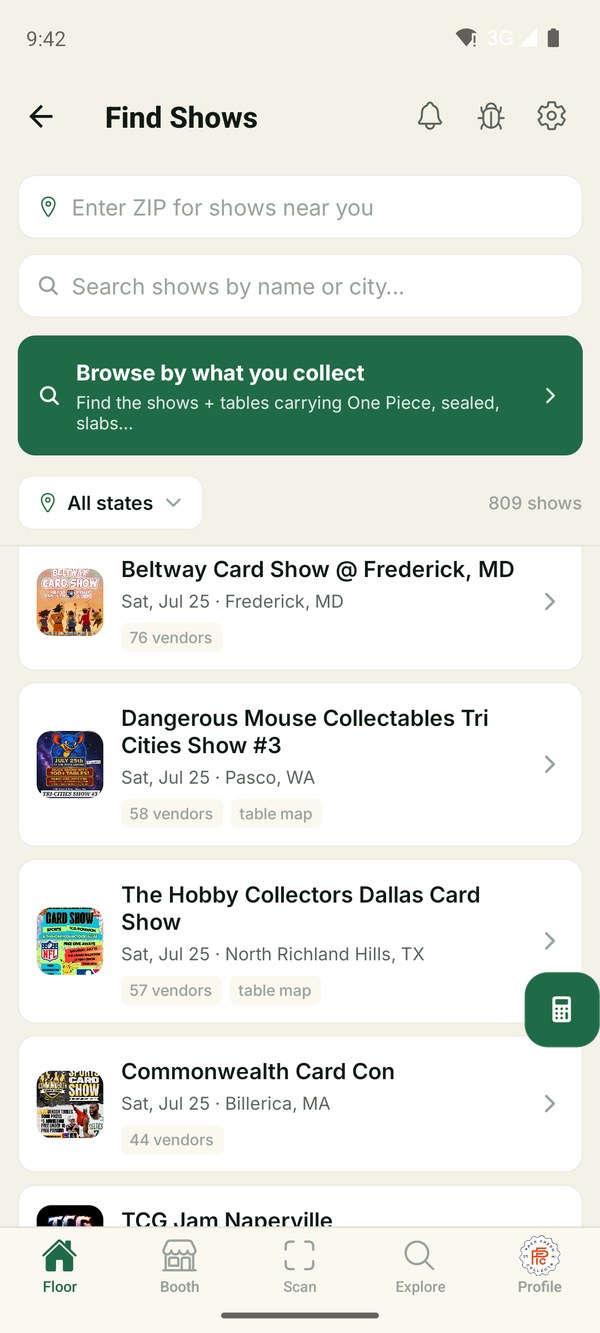
The whole card show, before you walk in.
Every card show near you, mapped before you arrive. CardFloor puts the entire floor in your pocket — which shows are happening, who's vending, and where they're sitting.
Find shows near you
800+ upcoming shows, refreshed daily and searchable by ZIP or state — with vendor lists, posters, and directions.
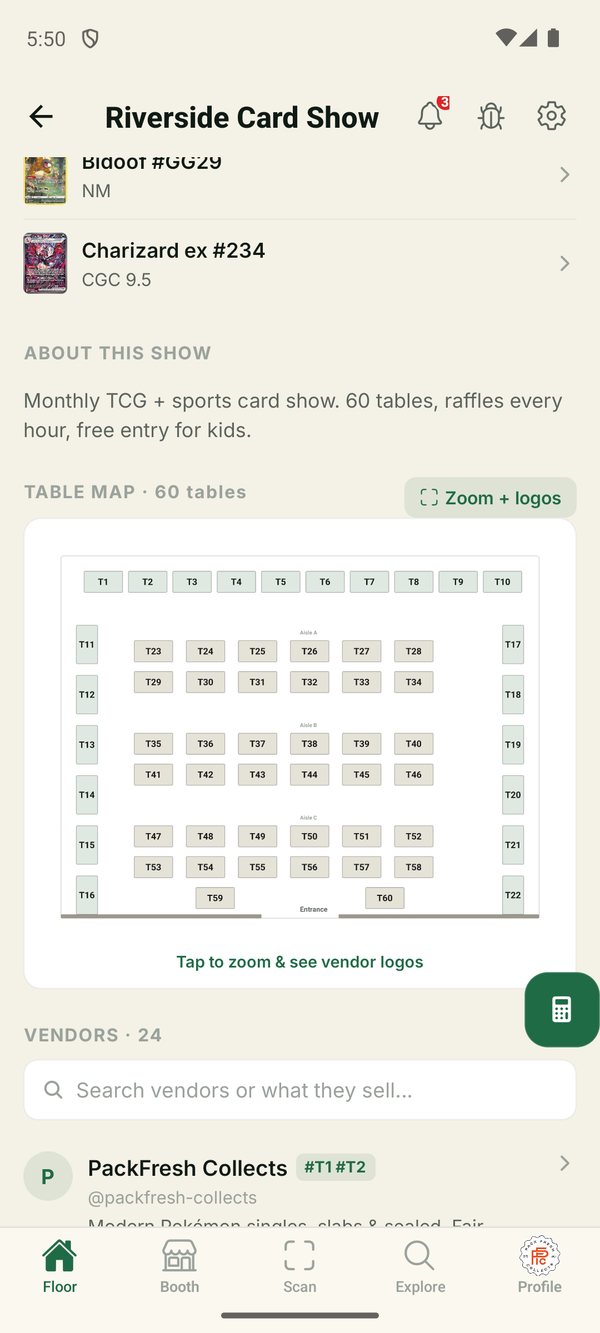
See the floor map
The real venue layout, drawn to scale, with every booth in its true position. Know which table you're walking to before you walk in.
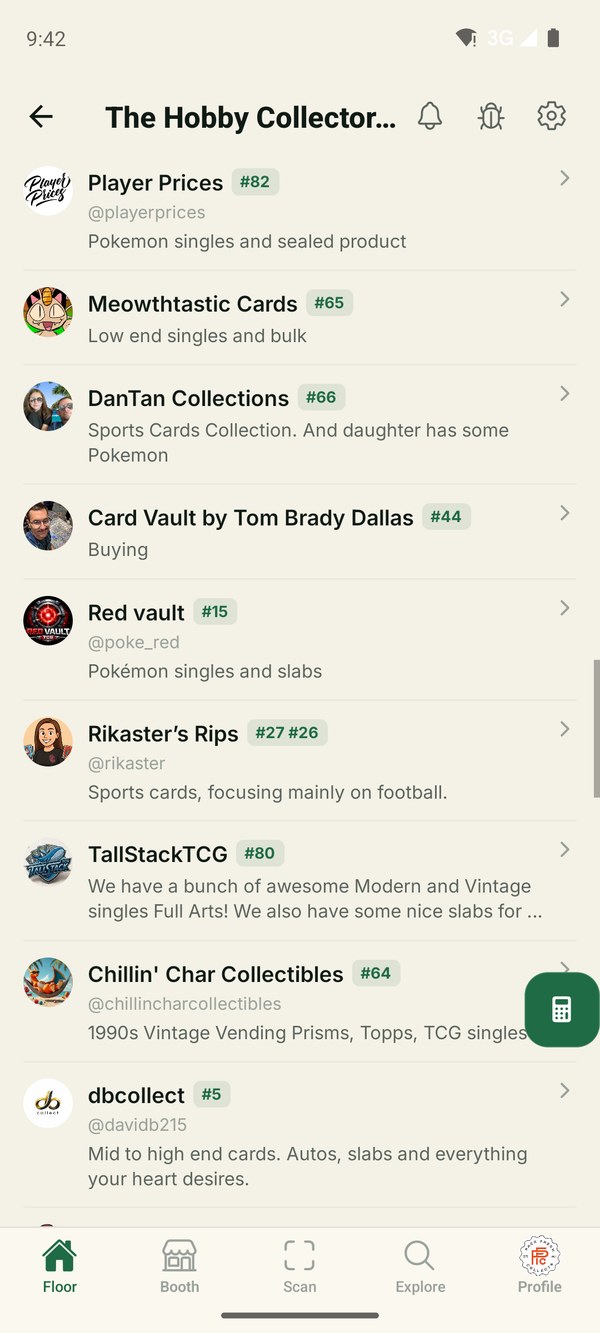
Connect with vendors
Follow the booths and shops you buy from, see their upcoming shows, and reach them straight from their page.
Everyone else shows you an asking price.
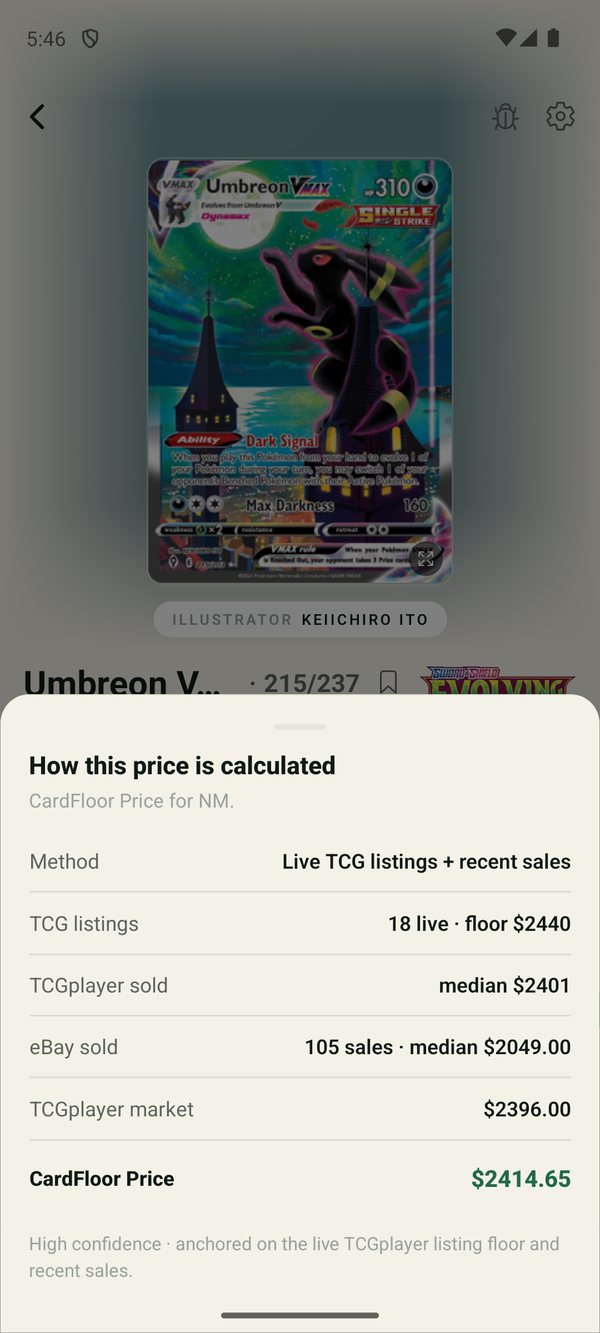
A listing is an opinion. A sale is a fact. The CardFloor Price is built from real completed sales across several independent sources — so no single marketplace's paper number can drag it around.
We also resolve accepted best offers. When a card lists at $2,400 and quietly sells for $2,250, most tools record $2,400 and call it sold. We show you what actually changed hands — and when we can't resolve it, we say so instead of guessing.
Tap the ⓘ on any price and the app shows its work: which sources it used, how many sales it saw, and how confident it is. No black box.
Run the whole show from your phone.
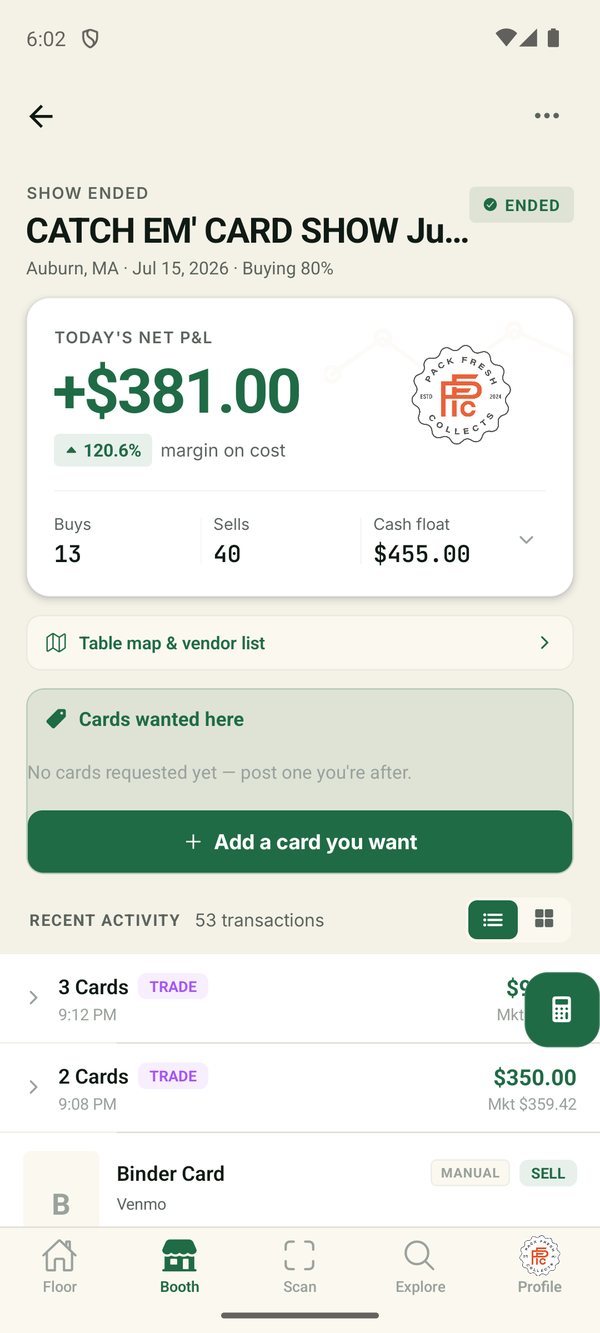
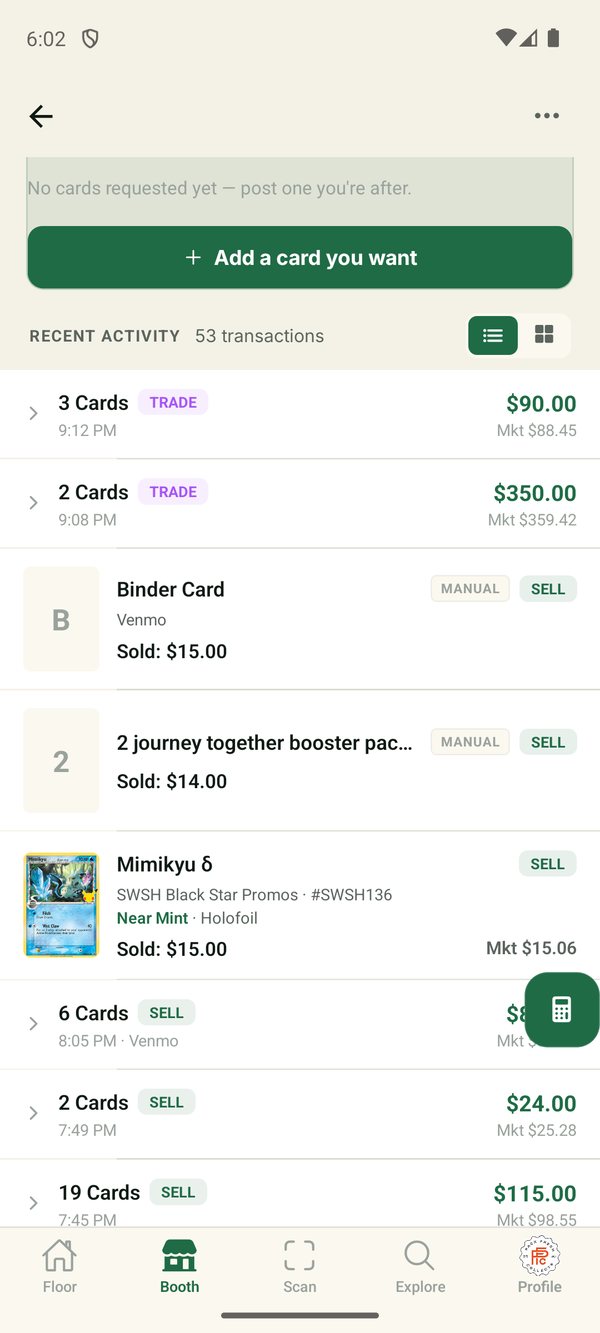
Scan, price, and log every buy, sell, and trade as it happens — then walk away from the table knowing exactly what the weekend made you.
Scan to buy, sell, or trade
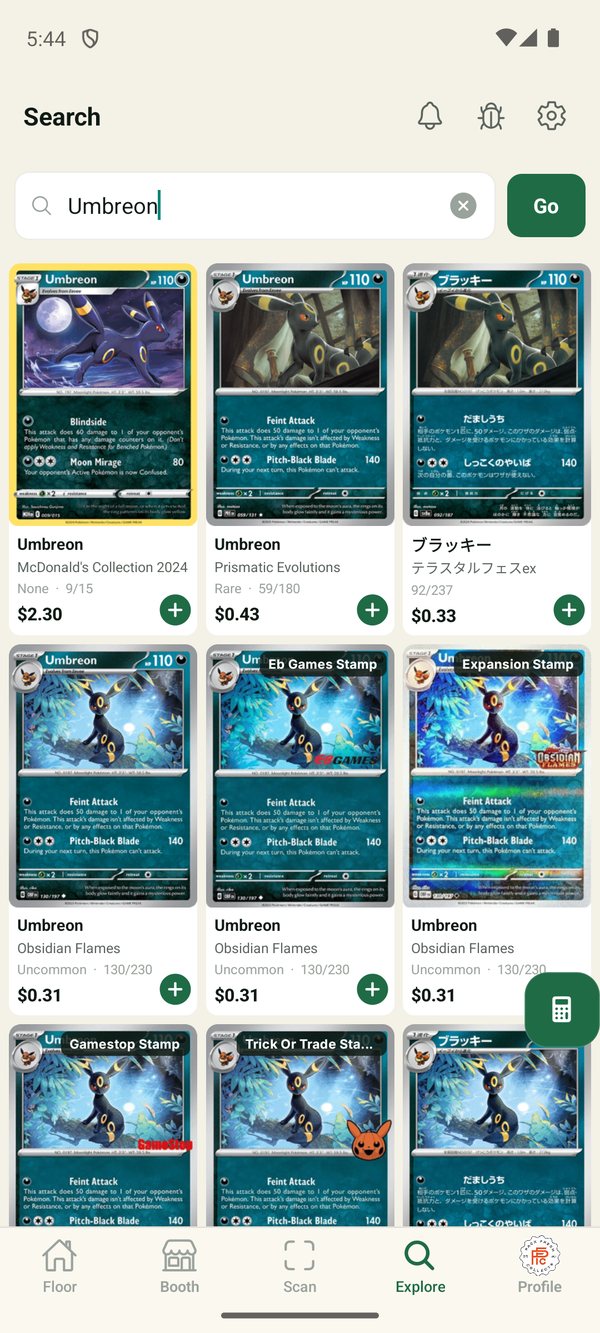
Point the camera and the card identifies itself — set, number, variant, condition. Set your buy percentage once and every card in the room prices itself.
Live show P&L
Spent, revenue, cash out, and profit updating as you deal. Trades stay out of your cash math, so the numbers actually reconcile at the end of the day.
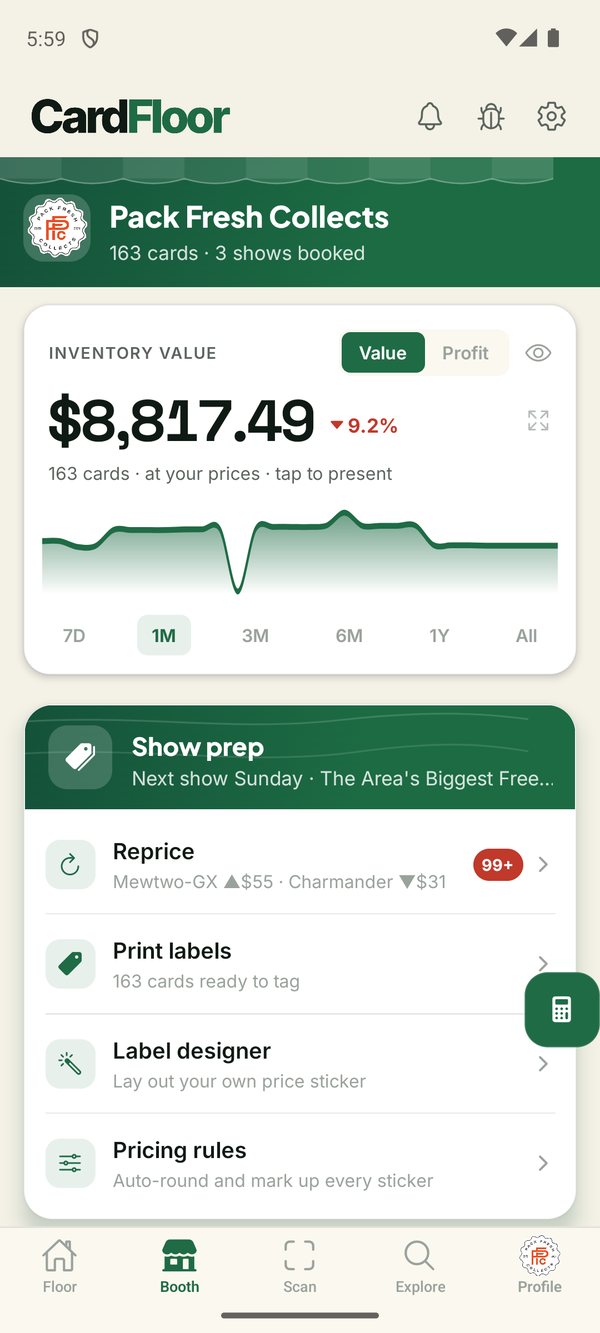
Reprice before every show
See which cards moved since you last priced them and fix the whole box in a few taps. Set rounding rules so stickers land on clean numbers.
Design and print your price labels
Drag the card image, price, and QR wherever you want them and lay out your own sticker — then print straight from your phone over Bluetooth. Prints to a Phomemo D30 — a $30 Bluetooth label printer off Amazon — with no proprietary hardware and no locked-in label stock you have to keep buying from us. Every label carries a QR back to that exact copy.
Run the booth as a team
Share a six-digit code and everyone working your table logs into the same show — deals from every phone land in one P&L.
You already have a vendor page — claim it
If you vend at shows, CardFloor already lists you. Claim your page to own your links, upcoming dates, and follower count — plus a media kit that turns out share-ready show graphics in your branding, each with a QR straight back to you.
Your sticker, your printer, your rules.
Design the price tag your booth actually needs — then print it from your phone on a $30 Bluetooth printer you buy on Amazon. No proprietary hardware, no subscription label stock, no separate app to open. Four tape sizes, QR or no QR.
Design the sticker, not a template
Drag the price, card name, number, set and condition wherever you want them — plus your logo and any text you like, your @handle or your booth number. The editor draws with the same renderer that burns the label, so what you arrange is exactly what comes out.
See it on a toploader first
Your design shown on an actual toploader at true proportions, so you can slide the sticker around and settle placement before you waste a single label.
Scan to re-sticker
Prices moved since Saturday? Sweep a handful of cards with the camera — CardFloor reads the stickers and reprints only the ones that are now wrong.
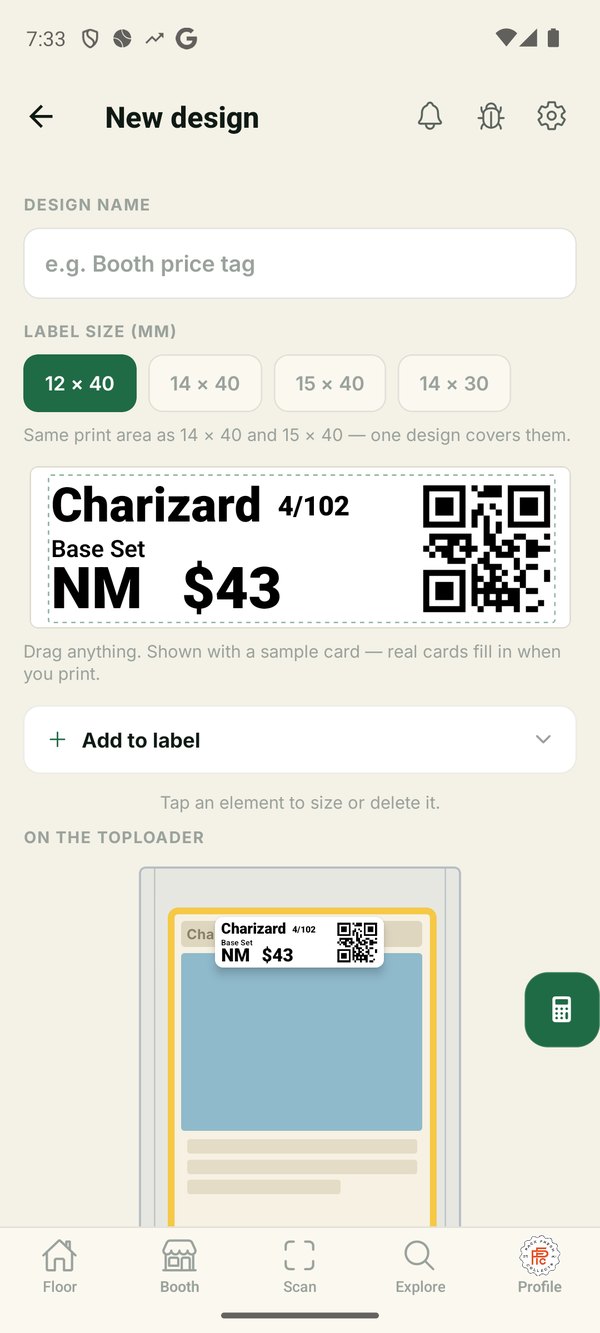
12 × 40, 14 × 40, 15 × 40 and 14 × 30 mm tape, on the Phomemo D30 family. Printing labels is part of CardFloor Pro.
Free to build. Pro to run the show.
Load your whole inventory, price it, and get discovered — all free. CardFloor Pro is the live show: spin one up and run every buy, sell, and trade through it, so you walk away knowing exactly what the weekend made you.
- Scan any card to identify & price it
- Build your full inventory — scan any volume
- Reprice your boxes before every show
- Your own vendor page & follower count
- Everything in Free
- Create & run a live show
- Live show P&L as you deal
- Log every buy, sell & trade
- Run the booth as a team
- Design & print your price labels
Free for everyone during beta. Collectors — the whole app stays free.
Know what you own. Find what you're missing.
Real values instead of wishlist values — and the whole floor working to find your next card.
Track your collection
Organize into portfolios and categories, watch total value over time, and see which of your cards are moving.
Complete the set
Every set you're working shows what you own, what's left, and exactly what the rest will cost you.
Watch a card
Set a target price and get told when it's crossed — instead of checking the same card fifty times.
Verify a slab
Scan a PSA cert and we check it against PSA's own records — confirming the number is real and the details match.
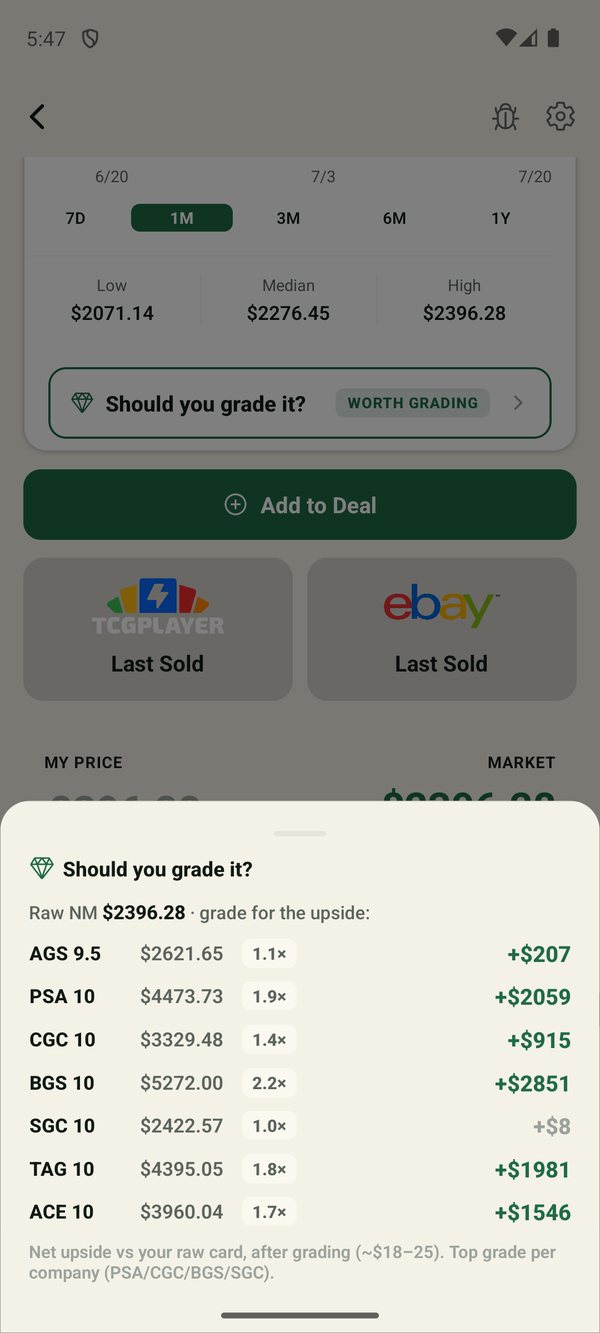
Should you grade it?
See what your raw card is worth against what each grade would fetch, with grading costs already subtracted.
Real price history
Charts built from actual sales, with surging and falling flagged — across five conditions and every printing.
Your show, in every collector's pocket.
If you run a show, you already have a page on CardFloor. Claim it and it becomes a promo channel — free, and free permanently.
A page collectors can follow
Your upcoming dates, your vendors, your branding — and followers who get told the moment you announce a new date.
Promo graphics in a tap
Share-ready graphics for your show, in your colors, with a QR that sends people straight to your page.
Get on the floor early.
We're opening CardFloor to a small group of vendors and collectors before the public launch. Tell us about your table and we'll be in touch.
Thank you for submitting.
We'll be in touch shortly at your email.
Free during beta · Android & iOS